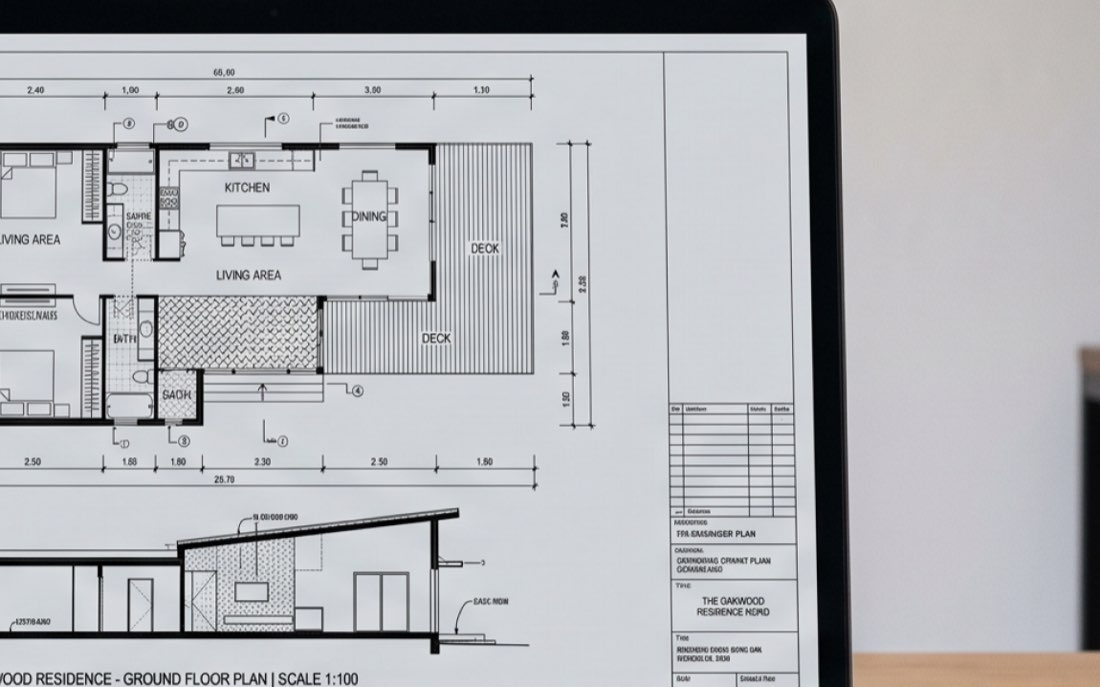
Current multimodal AI models can identify many woodwork-related objects on architectural drawings, but accuracy varies substantially by object type, drawing resolution, and workflow. Large, clearly defined objects such as elevation views are easier to detect than small symbols and callouts. Our early testing also suggests that the way the drawing is processed and prompted can matter as much as the choice of model itself.
Can AI Read Architectural Drawings? What We Tested
Can AI detect objects correctly on architectural and construction drawings? If you follow any discussions on Reddit, you may have noticed that most public answers to this question fall into two camps. Vendors say the technology is ready and everything works. Skeptics point out that models miscount objects on a drawing and conclude the technology is not there yet.
So we decided to do the research ourselves. Our team has experience training models to recognise and count casework for millwork takeoff, so we had a practical reason to know the answer. In this study, woodwork-related objects refers to architectural casework: cabinets, countertops, interior elevations, and elevation callouts. These are the objects an estimator needs to find and count when preparing a casework estimate.
The benchmark is not intended to rank every AI model on the market. We selected multimodal models that are widely available and relevant to image and document analysis at the time of writing:
- GPT
- Claude Fable
- Claude Opus
- Gemini Pro
- Gemini Flash
- Grok
Why it’s hard for AI to work with drawings
Accuracy on drawings is not one number. It depends on at least three things.
First, the type of object. Large objects like elevation views are relatively easy to find. Small reference markers, like elevation callouts, are much harder. A model can be good at one and poor at the other on the same page.
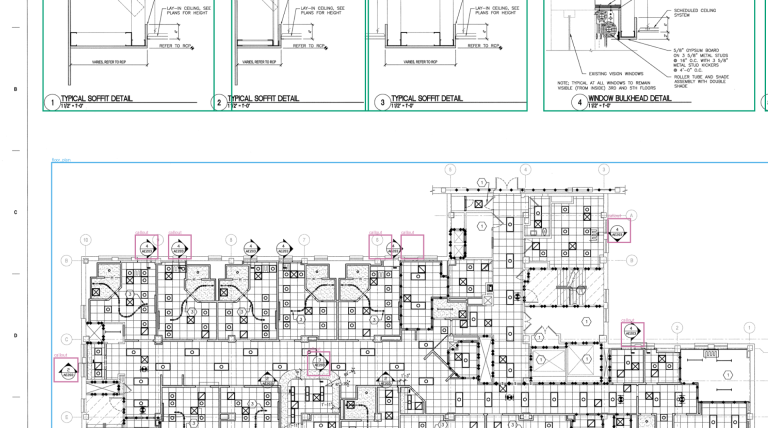
Second, the drawing itself. Resolution matters more than we expected. Construction drawings are dense, and their meaning lives in thin lines. A sheet designed for 24 x 36 inch printing may contain details that shrink to a few pixels when the whole page is converted into a single image for a model. When that happens, the model is not failing to understand architecture. The information has effectively disappeared before the model ever sees it. Different models have very different input limits here, and this alone changes the results.
Third, and this was the biggest finding of our early experiments, the way you use the model. If you send a full page and ask the model to find everything, you get one result. If you break the task into steps, for example first locating the elevation views and then searching for objects within each one, you get a very different result. Same model, same drawing, different approach. The gap between these two results is large enough that any benchmark that ignores it tells only half of the story.
How we approach our research
We collect drawings from real projects of different types and scales. The dataset keeps growing, and we will publish its exact size, including projects, pages, and annotated objects, together with the results in part 2.
An expert annotator on our team marks every object on these drawings by hand. Cabinets, countertops, elevations, and callouts. These expert annotations become the ground truth. Ground truth means the reference answer we compare every model against: a complete, human-verified map of every object on the page.
Then we run the same drawings through each AI model and compare its answers against the ground truth. A model gets credit when its answer overlaps with what the expert marked. We track accuracy separately for each object type, and we record the cost and speed of every run, because in practice these matter as much as accuracy.
We test models in two modes.
Direct, where the model receives a full page and a question.
Structured, where the same model works inside a pipeline. A structured pipeline breaks the task into steps: first locate the elevation views, then search for objects within each one. This is the pipeline that has performed best in our testing so far, though we are still experimenting with the exact steps and the final structured mode may evolve before part 2.
Comparing these two modes is the part we find most interesting, because it separates what models can do on their own from what they can do when applied carefully.
The early findings
The dataset is still growing, so we are not publishing final numbers yet. But a few things are already clear from the first runs.
Resolution limits are a serious constraint. Some models accept detailed images, others compress them heavily. On photos this is a minor detail. On drawings it decides whether the model sees the lines at all.
Small objects are the hardest part. Finding an elevation view is a task most models handle. Finding a small callout marker among hundreds of similar-looking symbols is a different level of difficulty.
And the approach matters more than the model. The difference between sending a full page and using a structured pipeline is larger than the difference between competing models. To us, this is the most useful insight so far. The question “which model is best” turns out to be less important than “how do you apply it”.
Can AI replace estimators?
Based on our early results, we don’t think object recognition alone is enough to replace an estimator.
Detecting 18 cabinets on a drawing is only one part of estimating. A quantity takeoff workflow also requires interpreting specifications, resolving ambiguities, understanding scope, reconciling different drawing views, and deciding what should be included in the estimate.
Our research therefore asks a narrower question first: how reliably can AI extract structured information from drawings? If that layer becomes dependable enough, it can automate parts of casework estimating without replacing the estimator’s judgment.
What comes next
In part 2, we will publish the numbers. A comparison table with accuracy by model, object type, and mode, together with cost and speed per page, and a detailed methodology page. When a new model is released, we will run it through the benchmark and update the results.
We are also exploring ways to let you see these results on your own drawings, with detected objects marked directly on the page. More on that in part 2.
We will publish part 2 with the numbers soon. Subscribe to get it first.