


Yes, to a degree. Models detect many cabinets, but they can merge adjacent units into one object or miss units entirely. Counting accuracy depends heavily on how the drawing is processed before the model sees it.
CaseVBench: AI Benchmark for Architectural Drawings
In partnership
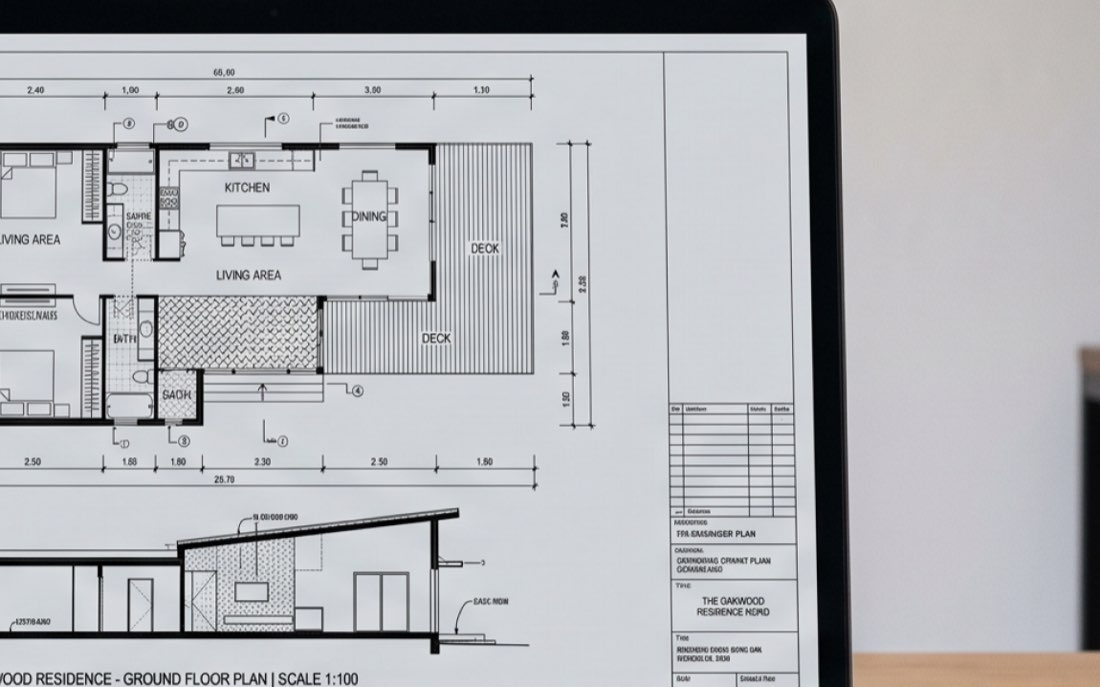
We evaluate how accurately AI models can interpret architectural drawings and identify cabinets, countertops, floor plans, elevations, and callouts.
CaseVBench: object detection score across top AI models
Each model was given the same set of architectural drawings and asked to identify cabinets, countertops, floor plans, elevations, and callouts. The results compare 20 models using the same evaluation criteria.
How is the score calculated? It measures how well a model finds real objects without detecting false ones.
| # | Model | Overall | Cabinets | Countertops | Floor plans | Elevations | Callouts |
|---|---|---|---|---|---|---|---|
| 1 | GPT-6 Astra | 92% | 82% | 84% | 99% | 94% | 96% |
| 2 | Claude Opus 5.5 | 79% | 60% | 51% | 91% | 90% | 84% |
| 3 | Gemini 4 ArgonNew | 76% | 69% | 38% | 91% | 75% | 81% |
| 4 | Gemini 3.8 Flash | 70% | 59% | 20% | 97% | 86% | 68% |
| 5 | Claude Fable 5.1 | 70% | 61% | 34% | 98% | 87% | 64% |
| 6 | GPT-5.6 Sol | 65% | 53% | 24% | 98% | 88% | 57% |
| 7 | Qwen3.8-Max | 62% | 60% | 32% | 98% | 90% | 47% |
| 8 | GPT-6.1 Sol | 60% | 57% | 48% | 95% | 65% | 51% |
| 9 | GPT-5.6 Terra | 56% | 51% | 23% | 94% | 87% | 38% |
| 10 | Gemini 3.5 Flash | 53% | 45% | 16% | 96% | 90% | 33% |
| 11 | Muse Spark 1.3 | 52% | 52% | 21% | 98% | 90% | 23% |
| 12 | Claude Sonnet 5.5 | 51% | 48% | 34% | 96% | 80% | 30% |
| 13 | Gemini 3.1 Pro Preview | 51% | 39% | 10% | 89% | 78% | 37% |
| 14 | GPT-6 Sol | 49% | 25% | 11% | 96% | 83% | 36% |
| 15 | Claude Opus 5 | 40% | 51% | 19% | 96% | 89% | 15% |
| 16 | Grok 4.6 | 30% | 5% | 7% | 91% | 69% | 0% |
| 17 | Mistral Large 4.0New | 27% | 14% | 3% | 78% | 64% | 2% |
| 18 | GPT-6 Luna | 23% | 13% | 8% | 82% | 38% | 6% |
| 19 | Claude Sonnet 5 | 21% | 10% | 0% | 73% | 47% | 4% |
| 20 | Grok 4.7 | 20% | 3% | 0% | 81% | 44% | 0% |
Version history
[5]
-
v5 — 19 Oct 2026
LatestTwo models added: Gemini 4 Argon and Mistral Large 4.0. Gemini 4 Argon enters third at 76% overall, with the second-best cabinet score after GPT-6 Astra (69%) and 81% on callouts, at a median of 10 seconds and $0.02 a page — about half what Claude Opus 5.5 costs. Mistral Large 4.0 scores 27% and is the second-slowest model we have tested, at a median of 207 seconds a page. Both are priced at the standard rate, not the 50% promotional rate they were billed at during the run. The eighteen models from v4 were re-scored on the same drawings under the same rules and did not move.
-
v4 — 5 Oct 2026
Three models added: GPT-6.1 Sol, Muse Spark 1.3 and Claude Sonnet 5.5. GPT-6.1 Sol enters seventh at 60% overall, up from 49% for GPT-6 Sol, and is third on countertops (48%), behind only GPT-6 Astra and Claude Opus 5.5 — though it reads elevations worse than any model above it (65%). Claude Sonnet 5.5 scores 51%, up from 21% for Claude Sonnet 5, and is now the fastest model we have tested, at a median of 6 seconds and $0.02 a page. Muse Spark 1.3 scores 52% at the same $0.02 a page. The fifteen models from v3 were re-scored on the same drawings under the same rules and did not move.
-
v3 — 23 Sep 2026
Four models added: Claude Opus 5.5, GPT-6 Sol, GPT-6 Luna and Grok 4.7. Claude Opus 5.5 goes straight to second at 79% overall — the only model besides GPT-6 Astra to score above 50% on countertops (51%) and above 70% on callouts (84%) — and it is the fastest model we have tested, at a median of 9 seconds and $0.04 a page. GPT-6 Sol (49%) and Grok 4.7 (20%) both score below the releases they follow, GPT-5.6 Sol (65%) and Grok 4.6 (30%). GPT-6 Luna is the cheapest model in the set at under half a cent a page, and scores 23%. The eleven models from v2 were re-scored on the same drawings under the same rules and did not move.
-
v2 — 5 Sep 2026
Five models added: GPT-6 Astra, Gemini 3.8 Flash, Claude Fable 5.1, GPT-5.6 Sol and GPT-5.6 Terra. GPT-6 Astra changes the picture — 92% overall, and the first model to read countertops (84%) and callouts (96%) about as well as it reads floor plans, which is the v1 finding it overturns. The six models from v1 were re-scored on the same drawings under the same rules and did not move.
-
v1 — 26 Aug 2026
We tested 6 models: Gemini 3.5 Flash, Gemini 3.1 Pro Preview, Claude Sonnet 5, Claude Opus 5, Qwen3.8-Max, Grok 4.6. Best overall accuracy: Qwen3.8-Max (62%), then Gemini 3.5 Flash (53%) and Gemini 3.1 Pro Preview (51%). Lowest: Claude Sonnet 5 (21%) and Grok 4.6 (30%). Every model reads floor plans and elevations well (73–98%), but no model found more than a third of countertops or half of callouts.
Version history — v1 — 26 Aug 2026 Model Overall Cabinets Countertops Floor plans Elevations Callouts Qwen3.8-Max 62% 60% 32% 98% 90% 47% Gemini 3.5 Flash 53% 45% 16% 96% 90% 33% Gemini 3.1 Pro Preview 51% 39% 10% 89% 78% 37% Claude Opus 5 40% 51% 19% 96% 89% 15% Grok 4.6 30% 5% 7% 91% 69% 0% Claude Sonnet 5 21% 10% 0% 73% 47% 4%
Models by provider
Most providers offer a range of models, from large flagship models to smaller, faster ones. This view groups models by provider, making it easier to compare models from the same family on the same drawings.
How exactly is a detection counted?
Each model places a box around the objects it identifies on a drawing. We compare these boxes with the expert annotations. A detection is counted as correct when the model’s box overlaps the corresponding annotated object by enough to meet the evaluation threshold.
Elevations & Countertops //Claude Fable 5.1

Sheet score
73%
| Object | Expert | Model | Matched |
|---|---|---|---|
| Cabinets | 16 | 16 | 12 |
| Countertops | 6 | 8 | 2 |
| Elevations | 9 | 9 | 9 |
| Callouts | 1 | 1 | 1 |
| Total | 32 | 34 | 24 |
Elevations & Countertops //Gemini 3.8 Flash

Sheet score
68%
| Object | Expert | Model | Matched |
|---|---|---|---|
| Cabinets | 16 | 14 | 11 |
| Countertops | 6 | 6 | 0 |
| Elevations | 9 | 9 | 9 |
| Callouts | 1 | 1 | 1 |
| Total | 32 | 30 | 21 |
Floor plans & callouts //GPT-6 Astra

Sheet score
100%
| Object | Expert | Model | Matched |
|---|---|---|---|
| Floor plans | 3 | 3 | 3 |
| Callouts | 7 | 7 | 7 |
| Total | 10 | 10 | 10 |
Elevations, floor plans & callouts //Claude Fable 5.1

Sheet score
100%
| Object | Expert | Model | Matched |
|---|---|---|---|
| Floor plans | 1 | 1 | 1 |
| Elevations | 4 | 4 | 4 |
| Callouts | 7 | 7 | 7 |
| Total | 12 | 12 | 12 |
Cost and processing time
Median cost and processing time per drawing page, based on 119 pages evaluated for each model. We use the median because page density varies substantially, from pages with a single object to pages with more than sixty.
| Model | Cost per page, relative to the dearest model | ||
|---|---|---|---|
| GPT-6 Luna | $0.004 | 29.5s | |
| Muse Spark 1.3 | $0.020 | 38.4s | |
| Claude Sonnet 5.5 | $0.020 | 5.5s | |
| Gemini 4 Argon | $0.021 | 9.8s | |
| Gemini 3.5 Flash | $0.026 | 15.5s | |
| Gemini 3.1 Pro Preview | $0.033 | 19.2s | |
| Claude Opus 5.5 | $0.040 | 8.9s | |
| Qwen3.8-Max | $0.055 | 154.9s | |
| GPT-5.6 Terra | $0.056 | 32.0s | |
| GPT-6.1 Sol | $0.061 | 25.8s | |
| GPT-6 Sol | $0.068 | 24.3s | |
| Claude Sonnet 5 | $0.072 | 60.8s | |
| Grok 4.7 | $0.078 | 185.9s | |
| Mistral Large 4.0 | $0.082 | 206.8s | |
| Claude Opus 5 | $0.112 | 37.2s | |
| GPT-5.6 Sol | $0.114 | 45.2s | |
| Grok 4.6 | $0.134 | 331.9s | |
| Gemini 3.8 Flash | $0.142 | 100.1s | |
| Claude Fable 5.1 | $0.148 | 22.3s | |
| GPT-6 Astra | $0.186 | 28.2s |
When is an object counted as found?
A model draws a box around each object it detects. The object counts as found when that box overlaps the expert’s box by at least 50% (IoU 0.50), as the examples below show. A box that does not reach that overlap with any expert box counts as a false detection.
-

Overlap 34%
Counted as missed threshold 0.50
-
Overlap 54%
Counted as detected threshold 0.50
-
Overlap 84%
Counted as detected threshold 0.50
Move the threshold
The top five models’ overall score at any overlap threshold. A model whose score drops fast as the bar rises finds objects but draws loose boxes; one that holds up draws tight ones.
| # | Model | Overall score at IoU 0.50 | Score vs IoU |
|---|---|---|---|
| 1 | GPT-6 Astra | ||
| 2 | Claude Opus 5.5 | ||
| 3 | Gemini 4 Argon | ||
| 4 | Gemini 3.8 Flash | ||
| 5 | Claude Fable 5.1 |
The published scores use 0.50. Other thresholds are shown for exploration only.
Follow the benchmark
We update the benchmark when new models are added and publish the results from the same evaluation process. Subscribe by email to receive updates when new results are available.
Frequently Asked Questions
-
-
The most common reasons are image resolution limits, small and dense symbols, and objects that look similar to the surrounding linework. Much of the miscounting starts before inference, when the drawing is compressed to fit the model’s input size.
-
Yes. In our October 2026 run GPT-6 Astra was the most accurate model we tested — 92% overall, and the only one that finds countertops and callouts about as reliably as it finds floor plans. The rest of the GPT line sits well below it on the same drawings: GPT-5.6 Sol at 65%, GPT-6.1 Sol at 60%, GPT-5.6 Terra at 56%, GPT-6 Sol at 49% and GPT-6 Luna at 23%.
-
GPT-6 Astra, in our October 2026 run: 92% overall against twenty models measured on the same drawings with the same rules. Claude Opus 5.5 is second at 79%, and at a median of $0.04 a page it costs under a quarter of what GPT-6 Astra does. Gemini 4 Argon, new in this run, is third at 76% for about $0.02 a page. The spread between models is real, but it is narrowest on floor plans and elevations, which every model reads well, and widest on countertops and callouts.
-
Not as it stands. Finding an object on a sheet is one step. A takeoff needs the right product code, split units merged into one, counts tied to callouts and the finish schedule, and output your estimating system can read — none of which is what these scores measure. At $0.19 a page it is also not cheap across a 500-page bid set, once per revision.
That is the work we do — custom systems trained on a shop’s own drawings, built to produce a usable takeoff rather than a list of detections.
-
Not on the basis of object recognition alone. It can automate parts of quantity takeoff, but estimating also involves scope, specifications, and judgment. See the section above.