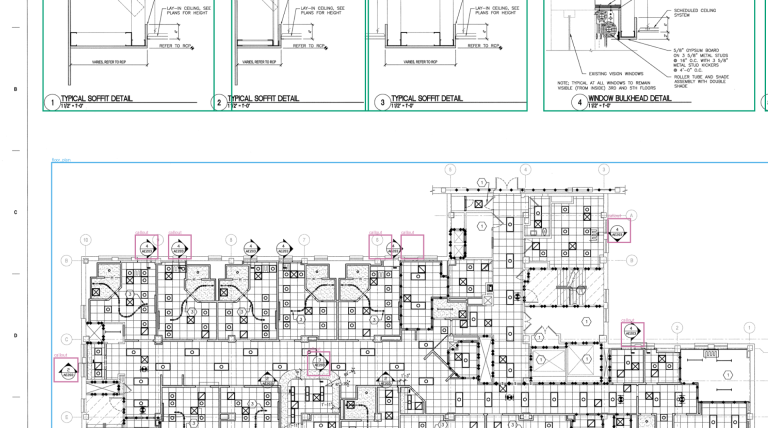
Every AI takeoff tool claims to be accurate. Some promise accuracy of up to 98%, while others advertise expert-level results. But how can you tell whether those claims reflect real performance?
Until recently, there was little public data to help answer that question. An independent review earlier in 2026 examined eight construction takeoff vendors and found no publicly available benchmark dataset that could be used to test their claims.
That picture is now changing.
Several benchmarks have emerged in 2026 to evaluate how well AI can understand architectural and construction drawings. Some test whether a model can count doors and windows. Others measure its ability to estimate building materials, answer engineering questions, check documents, or identify objects in detailed millwork drawings.
These benchmarks reveal an important distinction. Reading a drawing is not the same as measuring it accurately, and neither guarantees that an AI system can complete a full construction takeoff.
This guide explains eight benchmarks worth knowing about. For each one, we cover what it tests, how it is scored, what the results tell us, and whether the benchmark is still being updated.
Quick comparison
| Benchmark | Main task | Updated |
|---|---|---|
| CaseVBench | Find objects in millwork drawings | Every 2 weeks |
| Construction’s Last Exam | 33 real takeoff tasks | Leaderboard |
| TakeoffBench-v1 | Material takeoff across 9 trades | Once, Aug 2026 |
| AECV-Bench | Count elements, answer questions | Once, Jan 2026 |
| DrawingVQA | Questions on structural drawings | Once, Jul 2026 |
| AEC-Bench | Check drawings, specs, submittals | Once, Mar 2026 |
| LED-BENCH | Questions on full-size sheets | Once, Oct 2026 |
| Blueprint-Bench 2 | Floor plan from apartment photos | Live leaderboard |
The 8 benchmarks explained
1. CaseVBench by COXIT

What it tests
CaseVBench focuses on millwork and casework drawings, a specialist area that the other benchmarks in this list do not directly cover.
Millwork drawings contain detailed information about built-in cabinets, countertops, elevations, and other custom interior elements. These drawings often require close attention to small details and the relationships between different views.
CaseVBench uses 120 drawing sheets from nine real projects. Experts have marked up 1,430 objects across five categories.
The model must locate cabinets, countertops, elevations, floor plans, and callouts, then draw a box around each relevant object.
How it is scored
A predicted box counts as a match when it overlaps the expert’s box by at least 50%.
The score balances two things. The model needs to find the objects that are actually present, while avoiding incorrect detections.
The benchmark also reports the cost and processing time per page. This helps users assess not only accuracy but also the practical cost of running a model.
What the results show
Of the 20 models tested so far, GPT-6 Astra leads with 92%, followed by Claude Opus 5.5 at 79% and Gemini 4 Argon at 76%.
The largest differences between models appear when identifying countertops and callouts.
What to keep in mind
CaseVBench evaluates both what an object is and where it appears on the drawing. That makes it particularly relevant to workflows where locating the right detail is just as important as recognizing the object itself.
The benchmark includes code and a data sample on GitHub, and the results are updated as new models become available.
View the CaseVBench code and sample data
2. Construction’s Last Exam by Togal.AI

What it tests
Construction’s Last Exam evaluates AI on 33 tasks based on real construction takeoff work. These tasks involve reading plan PDFs, identifying building elements, measuring spaces and materials, and producing quantities for bids.
For example, a model might be asked to measure every balcony in a building.
The goal is to see whether AI can do the practical work involved in estimating construction projects, rather than simply describe what appears in a drawing.
How it is scored
The model’s output is compared with the correct answer using computer vision overlap measures. In simple terms, the scoring checks how closely the model’s result matches the expected result.
Models receive the raw PDF and can use their own built-in tools, but no additional tools or add-ons.
What the results show
The tested frontier models from OpenAI, Anthropic, Google, xAI, and Chinese providers scored between 2% and 34%.
These results suggest that full construction takeoff remains difficult for general-purpose AI models, even when they perform well on other tasks.
What to keep in mind
The benchmark launched in October 2026. Togal designed and ran the evaluation itself, so the results have not been independently verified. The tasks and drawings are public on GitHub.
Explore Construction’s Last Exam
3. TakeoffBench-v1 by Handoff

What it tests
TakeoffBench-v1 focuses on a central construction estimating task. Can an AI system produce a complete material takeoff from a residential plan set?
The benchmark uses 10 real residential plan sets containing floor plans, foundations, elevations, wall sections, and roof plans.
It covers nine trades.
- Concrete
- Framing
- Roofing
- Siding
- Insulation
- Drywall
- Electrical
- Plumbing
- Windows and doors
This makes it a useful test of whether a model can turn several different drawings into a practical estimate of the materials required.
How it is scored
The benchmark looks at two measures for each trade.
Coverage checks whether the model identifies the items that should appear in the takeoff.
Precision checks whether each estimated quantity falls within 25% of the approved figure.
These measures are combined into one score, with more weight given to precision. Finding an item is not enough if the estimated quantity is substantially wrong.
What the results show
Claude Fable 5, the best general-purpose model in the reported results, scored 61.4. Professional estimators scored 77.6, while Handoff’s own system scored 81.6.
Performance also varied by trade. Estimating lengths and areas, such as framing, roofing, and siding, proved more difficult than counting items such as doors, windows, and fixtures.
This highlights a practical challenge. Counting discrete objects is different from accurately calculating quantities across large or complex areas.
What to keep in mind
TakeoffBench-v1 is one of the closest benchmarks to the work of a real construction estimator. However, researchers can access the plan sets only on request, and the benchmark was published once in August 2026.
Read the TakeoffBench-v1 paper
4. AECV-Bench by AECFoundry

What it tests
AECV-Bench examines two related abilities.
The first is counting building elements across 120 floor plans. Models must identify items such as doors, windows, bedrooms, and toilets.
The second involves answering 192 questions about drawings. These questions cover text recognition, counting, spatial layout, and comparisons.
Together, these tasks help reveal whether a model can move beyond reading labels and correctly interpret the information represented by a drawing.
How it is scored
Counts must match the correct answers exactly. The benchmark also reports the average percentage error, which helps show how far incorrect counts differ from the truth.
For the question-answering tasks, an AI judge evaluates responses, with a person reviewing borderline cases.
What the results show
Models performed relatively well at reading text, with the strongest scores reaching 95%.
Counting was much harder. Door and window counting scores were around 40% to 55%.
This is an important distinction. A model may successfully read a door label or recognize a symbol but still miss some of the doors on a complete floor plan.
What to keep in mind
AECV-Bench clearly demonstrates that reading a drawing and counting its contents are different skills. A strong text-reading score alone is not evidence that a model can reliably produce a quantity takeoff.
The benchmark was published in January 2026, with its code and data available on GitHub.
5. DrawingVQA by LSU and UIUC

What it tests
DrawingVQA evaluates how well AI can answer questions that an engineer might ask about structural drawings.
It uses 33 real drawings marked as Issued for Construction, a designation indicating that the documents are intended for construction use.
The benchmark contains 92 questions about elements such as slabs, columns, beams, footings, schedules, notes, and callouts.
Some questions are straightforward, such as identifying a sheet title. Others require reasoning across several drawings. The benchmark also includes quantity takeoff and code compliance questions.
How it is scored
Models are evaluated on the proportion of questions they answer correctly. Their results are compared with those of students and working professionals.
This provides useful context for understanding how AI performance compares with human understanding of the same engineering documents.
What the results show
Gemini 3 Pro achieved the best model score at 77.2%. Professionals scored 94.9%.
Quantity takeoff was the weakest category across the tested models.
The result reinforces a pattern seen in other benchmarks. AI can often extract information from technical drawings, but accurately answering questions that require measurements or engineering reasoning remains more difficult.
What to keep in mind
DrawingVQA is relatively small, but it uses actual construction drawings and questions written by experts. It is therefore useful for understanding how AI performs on realistic structural engineering tasks.
The study was presented at CVPR 2026.
6. AEC-Bench by Nomic AI

What it tests
AEC-Bench focuses on tasks that involve checking and coordinating construction documents, rather than simply detecting or counting objects.
It contains 196 tasks for AI agents working across drawing sets, specifications, and submittals.
Examples include checking whether a reference points to the wrong detail, verifying that a detail title matches the drawing, comparing the sheet index with title blocks, and reviewing submittals against project specifications.
These are important tasks because construction information is often spread across several documents. A mistake in one place can create confusion elsewhere.
How it is scored
Each response is compared with an answer prepared by engineers and architects. The scoring system uses a scale from 0 to 100 and awards partial credit when an answer is only partly correct.
The benchmark also makes it possible to examine how the tools available to an AI agent affect its results.
What the results show
Scores varied considerably depending on the task and the tools the agent could use.
The same model could perform much better when it had effective tools for searching and navigating the drawing set.
This suggests that performance depends on more than the underlying AI model. The way a system retrieves, connects, and checks information also matters.
What to keep in mind
AEC-Bench is particularly relevant to document coordination and quality assurance. It evaluates the checking work that happens around a drawing set, rather than focusing only on object recognition or material quantities.
The benchmark is open source.
7. LED-BENCH by Tongji University

What it tests
LED-BENCH evaluates AI on large-format technical drawings, including mechanical, architectural, and transportation sheets.
It contains 107 full-size sheets and 377 questions. Many questions require the model to connect information from different parts of a sheet or interpret relationships between separate views.
This matters because real drawings can contain a large amount of information spread across a single page. A model that performs well on a cropped image may struggle when it has to interpret the complete sheet.
How it is scored
An AI judge evaluates whether each answer is correct. The results are also checked against human scoring.
What the results show
Among 11 tested models, GPT-5.6 Sol achieved the highest score at 52.65%.
This indicates that answering questions about complete, detailed drawing sheets remains challenging, even for leading models.
What to keep in mind
LED-BENCH focuses on a limitation that many drawing evaluations do not directly address. It tests full-size sheets rather than relying primarily on cropped sections.
The benchmark was published in October 2026.
8. Blueprint-Bench 2 by Andon Labs

What it tests
Blueprint-Bench 2 approaches the problem from the opposite direction.
Instead of asking AI to understand an existing drawing, it gives a model approximately 20 photos of an apartment and asks it to produce a floor plan.
The model must identify the rooms, place the doors, and represent how the different spaces connect.
This tests whether an AI system can turn visual information about a real space into a structured layout.
How it is scored
The benchmark focuses mainly on whether the rooms connect correctly. It also considers the number of rooms and doors.
Scores range from 0 to 1. A score of 0 represents performance no better than random, while 1 represents a perfect floor plan.
What the results show
Gemini 4 Argon leads the reported leaderboard with 0.544, compared with a human score of 0.586.
The results suggest that AI is getting closer to human performance on this specific task, although a gap remains.
What to keep in mind
Blueprint-Bench 2 is not a test of reading architectural drawings. It evaluates whether AI can create a drawing from photographs of an existing space.
It is included here because it explores the other side of drawing automation, and because its live leaderboard adds new models as they are released.
Explore the Blueprint-Bench 2 leaderboard
What do these benchmarks tell us about AI and construction drawings?
Taken together, these eight benchmarks reveal several important patterns.
1. Reading text is easier than measuring accurately
AI can often recognize labels, read notes, and extract text from drawings. However, counting doors, measuring areas, and estimating material quantities are more demanding tasks.
AECV-Bench illustrates this difference particularly clearly. Models achieved text-reading scores of up to 95%, while door and window counting scores were around 40% to 55%.
A system that can read a drawing is not necessarily ready to produce a reliable takeoff.
2. Different construction tasks require different abilities
Recognizing a cabinet in a millwork drawing is not the same as estimating framing materials or checking a submittal against a specification.
CaseVBench, TakeoffBench-v1, and AEC-Bench evaluate different skills. Their results should be interpreted in the context of the work each system is expected to perform.
There is no single score that captures every aspect of drawing intelligence.
3. Full drawing sets are harder than isolated details
Some tasks can be completed from a small section of a drawing. Others require an AI system to understand an entire sheet, connect information across several drawings, or check a detail against a specification.
LED-BENCH and AEC-Bench help assess these more complex workflows.
For practical use, the ability to find and connect information across a drawing set can be just as important as recognizing individual objects.
4. A high benchmark score does not guarantee reliable project results
A benchmark score describes performance on a particular set of tasks under particular conditions. It does not automatically establish how well a system will perform on every project.
Drawing quality, annotation conventions, project complexity, and the type of construction work can all affect the result.
Before adopting an AI takeoff tool, companies should test it on representative drawings from their own projects and compare its output with quantities verified by qualified professionals.
5. Independent and repeatable testing matters
Benchmarks become more useful when their drawings, scoring methods, and results can be examined by others.
Public data and repeatable tests make it easier to compare systems fairly, understand their limitations, and track progress over time.
When a benchmark is controlled by the vendor being evaluated, the results may still be informative, but they should be interpreted with that limitation in mind.
Don’t get locked into one model
Benchmark results change month to month. On CaseVBench, Claude Opus 5.5 moved from around 10th place to second in a single run, and OpenAI’s newest generation scored about 10 points lower than the version before it.
That is why it pays to track the results and build systems that are model agnostic, so the model behind them can be swapped.
As I said on the Verify In Field podcast, switching models should be as easy as switching electricity providers. Model quality changes every few months, and providers have outages. If a tool depends on one model and that model goes down for two days, the work stops.
The same applies when choosing software. Vendors with fixed seat prices have little reason to move to a newer, more expensive model when one comes out. Ask which model a tool uses and how quickly it can change.
In practice:
- Check the benchmark closest to your work regularly, not once
- Test new models on your own drawings before switching
- Choose tools that can change the model behind them without a rebuild
Final thoughts
AI benchmarks for architectural and construction drawings are becoming more useful, but they still measure different parts of a complex problem.
Some evaluate whether a model can read and understand a drawing. Others test whether it can identify objects, count elements, estimate materials, answer engineering questions, or check documents across an entire project.
The distinction matters because success on one task does not guarantee success on another.
For construction professionals evaluating AI tools, the best approach is to combine independent benchmark results with tests on real project drawings. Look beyond headline accuracy figures and examine the tasks tested, the scoring method, the data available, and the system’s performance on the work you actually need to complete.
The goal is not to find the AI with the highest score on any benchmark. It is to find the system that produces reliable results for your specific construction workflow.