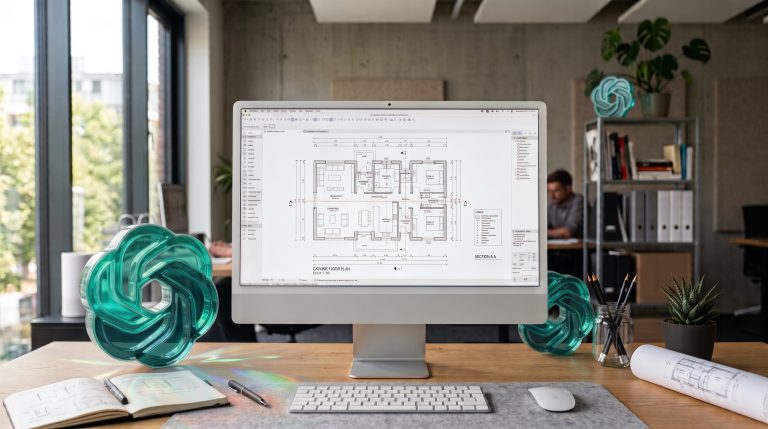
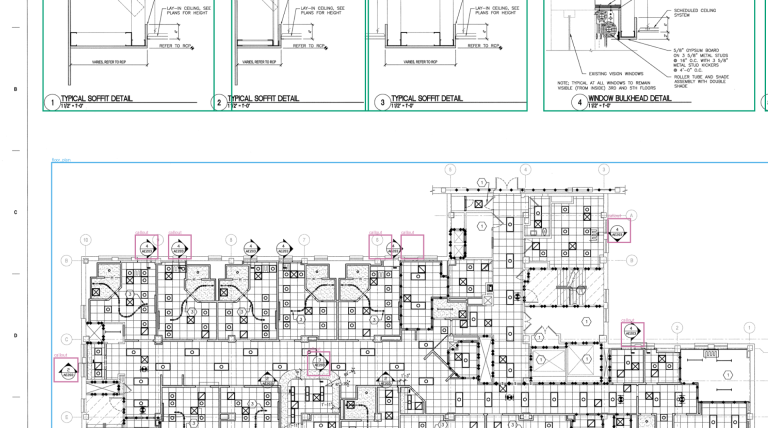
At IWF Atlanta this summer, one piece of advice kept coming up: use Claude, Claude is the best. Our co-founder and COO, Volodymyr Hresko, kept answering with a question: is it really?
He took that question, and what we found when we tested it, onto the Verify In Field podcast with Jacob Edmond, CEO of DuckWorks. Over 43 minutes they covered what CaseV-Bench shows about AI reading architectural drawings, and what millwork shops can do with it today.
Here are the main points, with timestamps so you can jump to each part.
From radio software to millwork (0:59)
Volodymyr didn’t start in woodworking. After a few years as a full-stack engineer, he co-founded COXIT with Iryna Mykytyn seven years ago. Their first projects were C++ software for US radio companies. Python came next, then machine learning.
The move into millwork came before the AI boom. Curtis Garrard, innovation manager at Stevens Industries, asked whether machine learning could help with takeoffs. Plenty of companies were trying to build that, but nobody had made it work. A year of proofs of concept with Stevens became COXIT’s first woodworking project.
It didn’t stay a one-off. Over the last couple of years, 70–80% of COXIT’s time has gone into manufacturing. Volodymyr is open about why many software agencies stay away: sales cycles are long, and you have to learn how the industry works before your code is any use. Once you have learned it, though, you can bring real value to the rest of the industry.
Why COXIT built a benchmark (6:36)
Clients and partners kept asking the question Volodymyr later heard at IWF: how good is AI at reading drawings, and is it better than machine learning?
In last year’s AWI member survey, which AI model to use and whether it can be trusted was the top question. So this year we stopped guessing and tested it. We hand-labelled more than 1,400 objects in real casework drawings, then ran the same drawings and the same prompt through every model.
The score counts the objects a model finds correctly. It also counts the ones it gets wrong, like a door reported as a cabinet. A model that “finds 16 cabinets” isn’t much help if six of them are doors and windows.
The leaderboard changes month to month (8:31)
A month before the recording, Chinese models were at the top. When we recorded, the leader scored around 90%. Claude Opus 5.5 was second, after sitting around 10th place in an earlier run.
Newer isn’t always better. OpenAI’s latest generation scored about 10 points lower than the version before it on architectural drawings.
Results also vary by object type. One model can score 80–90% on cabinets and around 10% on countertops, while another scores well on both.
Don’t get locked into one model (12:55)
“It should be as easy to switch as an electricity provider,” Volodymyr says. Quality changes every few months, and providers have outages. If your tool depends on one model and that model goes down for two days, your work stops.
This matters when you choose software too. Volodymyr points out that vendors with fixed seat prices have little reason to move to a newer, more expensive model when one comes out (15:35).
Protecting drawings under NDA (17:05)
No setup is 100% safe, but you can cut the risk:
- Use paid or business plans with data sharing turned off
- Remove what the model doesn’t need, like pricing, before you upload
- For custom tools, check whether your cloud hosting is dedicated to you or shared with other companies
His view is that, for now, the benefit is bigger than the risk, because competitors are already using these tools.
Getting better results (24:44)
A prompt on its own rarely works out of the box. Most of the gains come from work before and after the model:
- Before: set the right resolution and crop large sheets, so the model doesn’t see a blur of lines
- After: recheck likely mistakes, and merge one cabinet drawn on several pages into a single item
- Mix models: use a cheap, fast model for simple lookups and a top model for the hard parts
For shops with high volume, a custom machine learning model for their most common objects can end per-page fees. Volodymyr’s rough threshold is $30–40M in revenue. Below that, stick with off-the-shelf AI.
Advice for a $10–20M shop (31:30)
Use AI for every task you can now: notes, emails, scheduling, dashboards, and small tools you build without coding. Don’t wait for a winter course. Today’s models are, in his words, priced like a demo version of what they can do.
What’s next (36:53)
At IWF Atlanta, Volodymyr saw far more shop owners building their own tools than at a big European woodworking show six months earlier. The next questions will be about data privacy, cost and speed. Many of the clients who come to COXIT now already have a working prototype and need help to scale it, raise its score, or cut its running cost.
So is Claude really the best? When we recorded, Opus 5.5 was the best value on our benchmark. A month earlier it was nowhere near the top, and next month it may not be there either. That’s the point Volodymyr kept returning to: test on your own drawings, measure, and keep the option to switch.
Try it on your own drawings
See how every model performs on CaseV-Bench. Want to know which model works best on your own drawings? We can run them on a private server: test your drawings. You can also reach Volodymyr on LinkedIn.