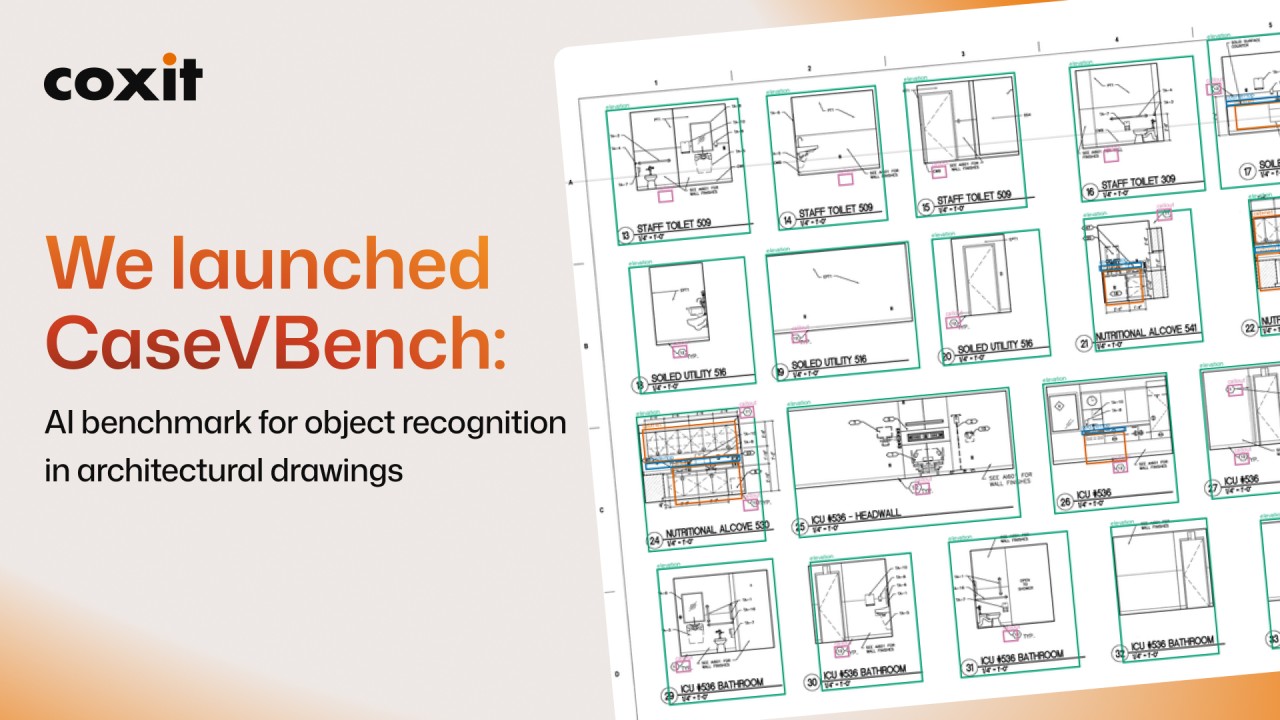
A few weeks ago, we launched our own benchmark, CaseVBench.
We ran 11 models across 119 real drawing pages from different sets, and asked each model to find 5 types of objects: cabinets, countertops, floor plans, elevations and callouts.
The scoring rules
Before running the models, our data annotator went through all 119 pages and marked every object by hand. There were 1,430 objects in total.
We then gave the same pages to each model with one simple prompt: find these objects and draw a box around each one.
We could then compare each model’s boxes against the annotations.
Models make two typical errors: they can miss an object, or they can draw a box where there isn’t one.
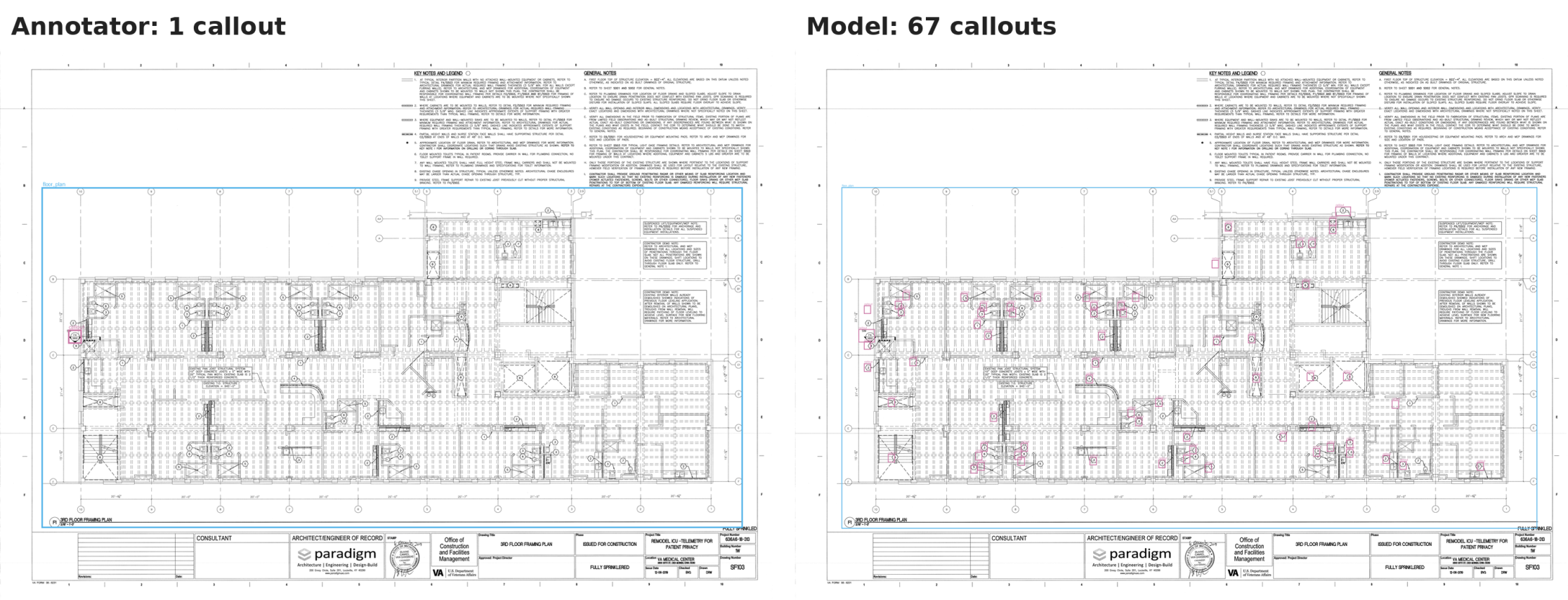
The second mistake shows up a lot in the results. A model could find a callout by drawing boxes all over the page. It would probably catch the real callout eventually, but the result wouldn’t be useful.
Here, for example, there was one callout marked on the sheet, and the model drew 67 boxes.
That’s why we set F1 as the main score. It combines two things: how many of the annotated objects the model found, and how many of its boxes were correct. A model that finds every object but draws 67 boxes to do it scores low, and so does a model that draws only correct boxes but misses half the objects.
100% means every box matched the annotation and nothing was missed.
The CaseVBench results
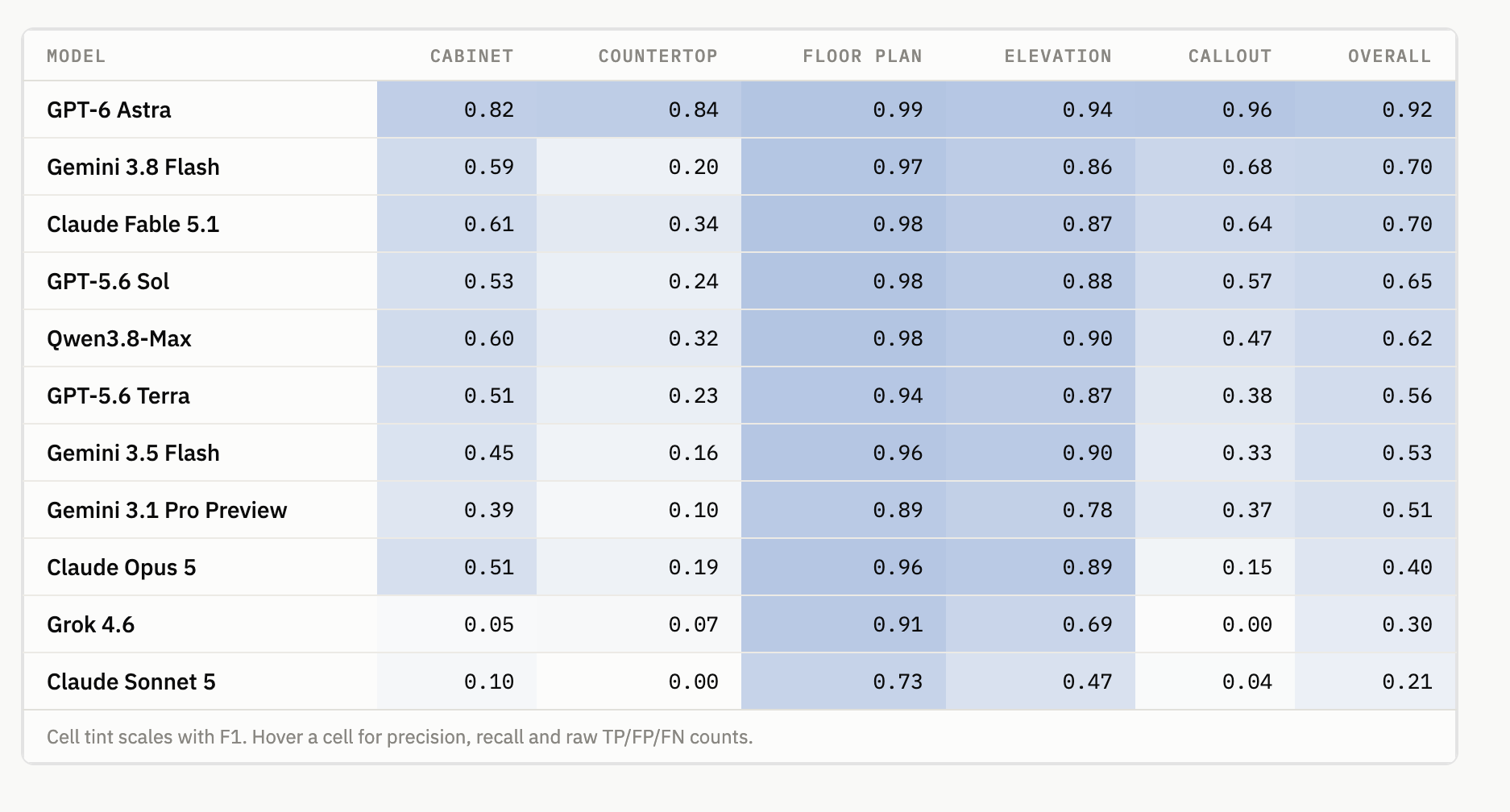
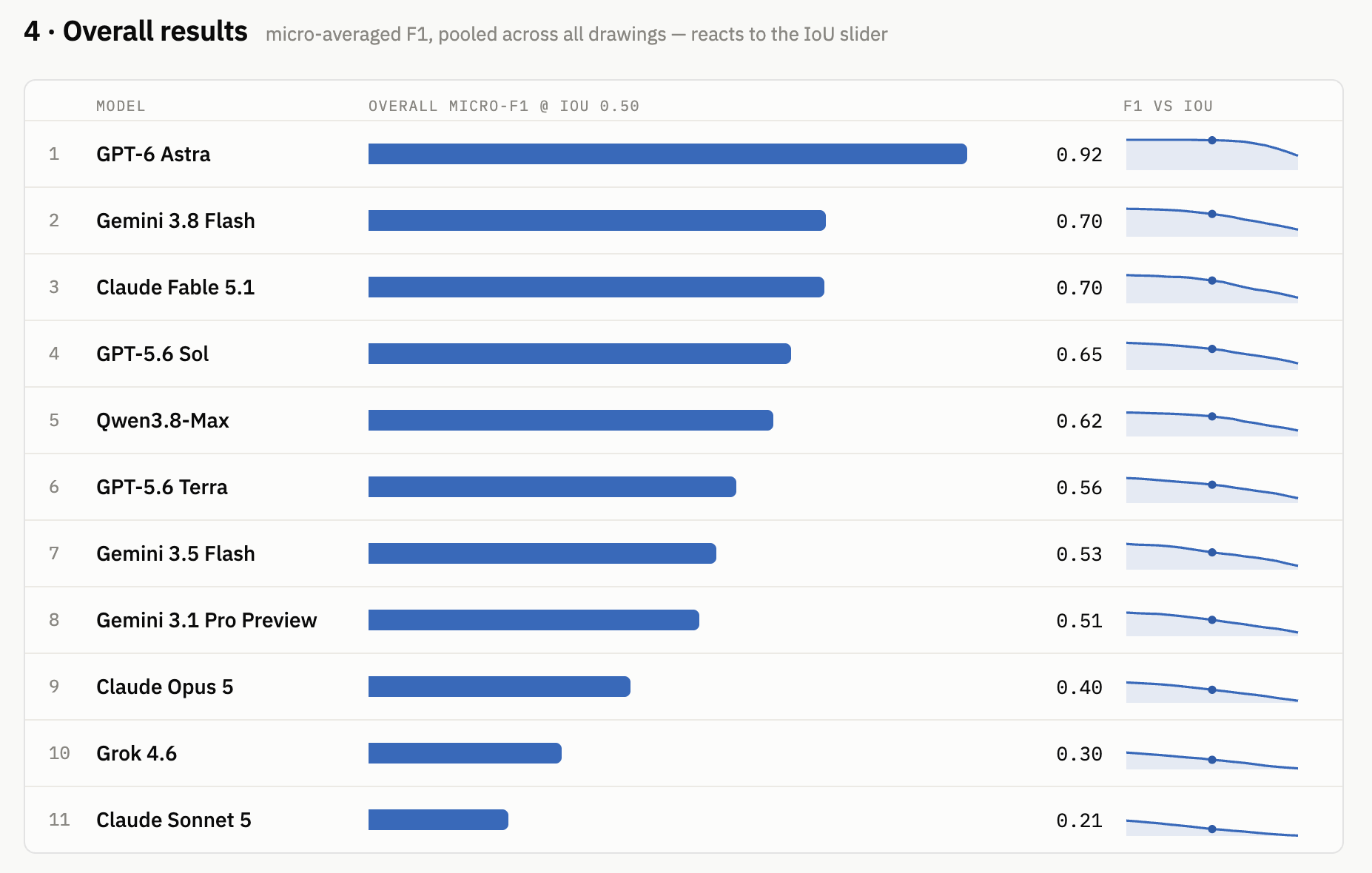
As you can see, GPT-6 Astra was the clear winner at 92%, followed by Claude Fable 5.1 and Gemini 3.8 Flash at 70%.
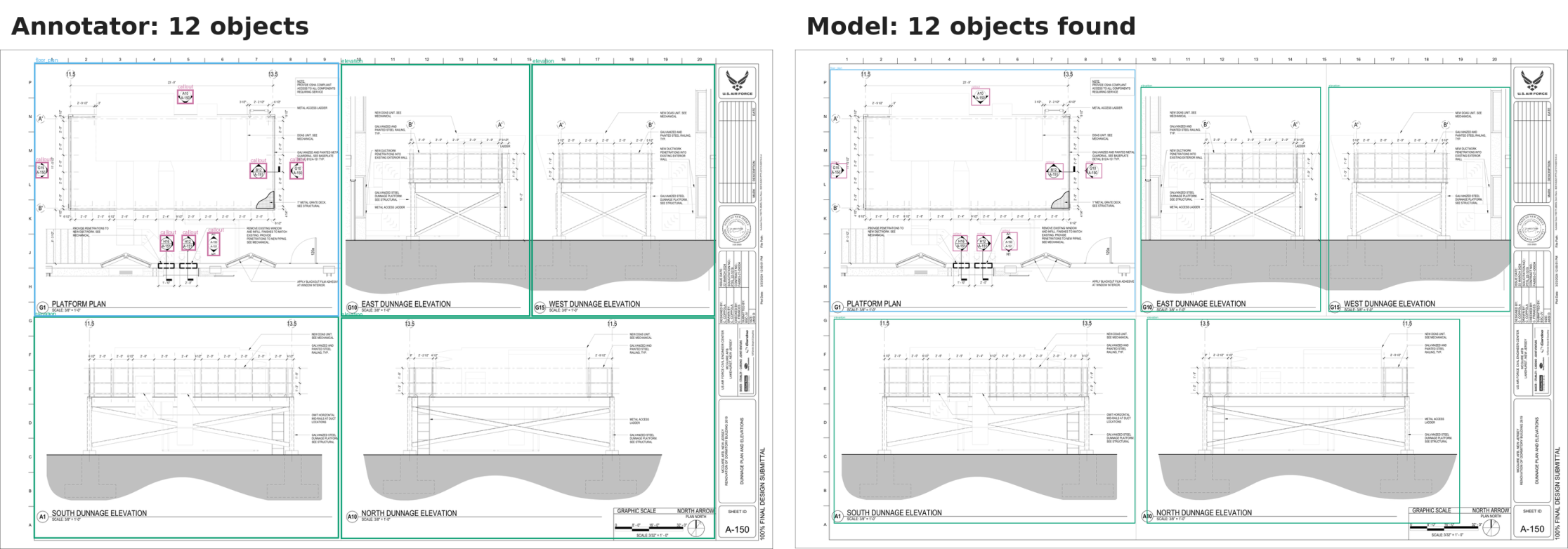
Floor plans and elevations were the easiest objects for the models to find. That makes sense: they’re large, usually separated from everything else, and often take up a big part of the sheet.
This page is a good example: the model found all 12 objects.
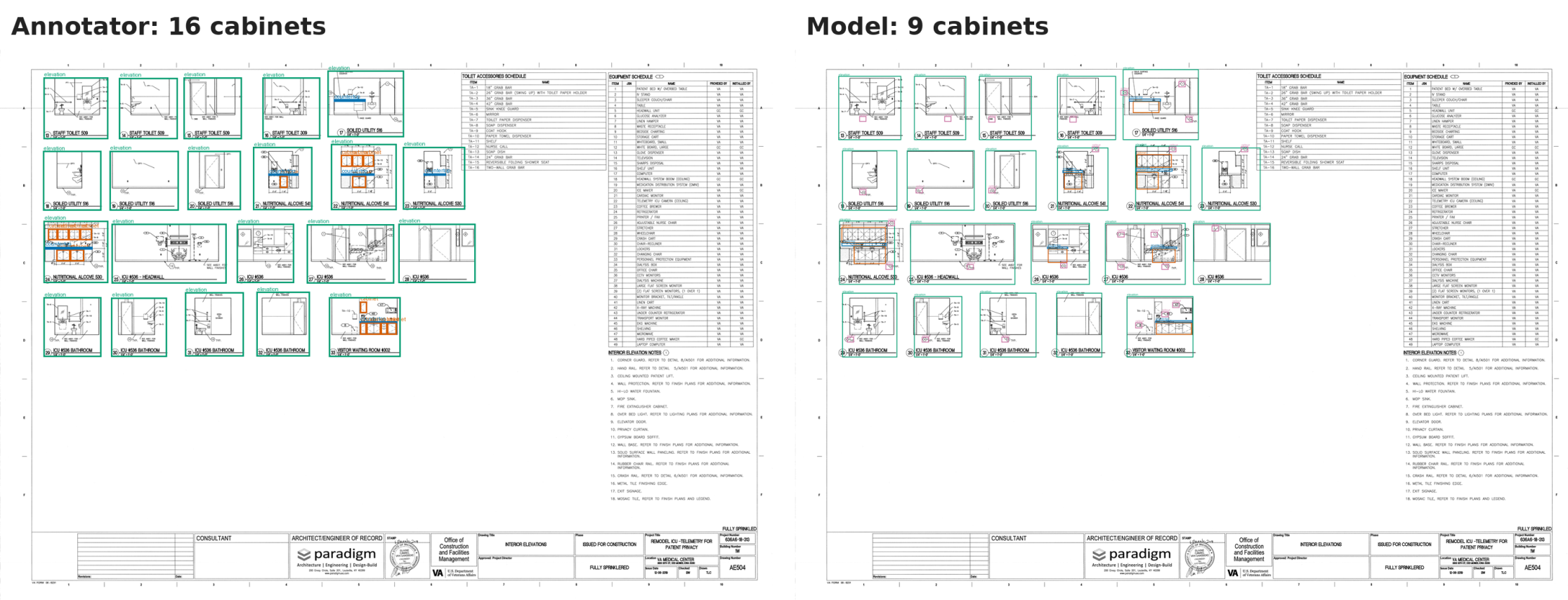
On the other hand, a callout might be only a few pixels wide once the sheet is reduced. A countertop can be a thin line sitting directly on top of a run of cabinets. Those are much harder for the models to distinguish.
Here’s a page where the model found 9 of 16 cabinets:
Learn more about the research
On the benchmark page you can dig into more of our findings, like how speed compares with cost per model run.
There is also a deeper article about the benchmark that highlights some insights and what you can do with them.
So… is AI takeoff here?
Could you just upload your drawings to Astra and get a complete takeoff? 🫣 Not really.
CaseVBench measures just finding objects on a page. A professional takeoff also requires reading dimensions and schedules, distinguishing base cabinets from wall cabinets, measuring linear feet, connecting information across sheets, and making judgements when the drawing isn’t clear.
And even at this first step, only one model is close to being reliable. It still gets roughly one box in ten wrong. So the general model isn’t the product.
What we’re finding works much better is building a system around the model. You can crop the elevations, read them at full resolution, ask the model to identify the objects, and then check what it returned.
That’s what we’re building for clients, and we’ll share those numbers in the next benchmark.
IWF in Atlanta
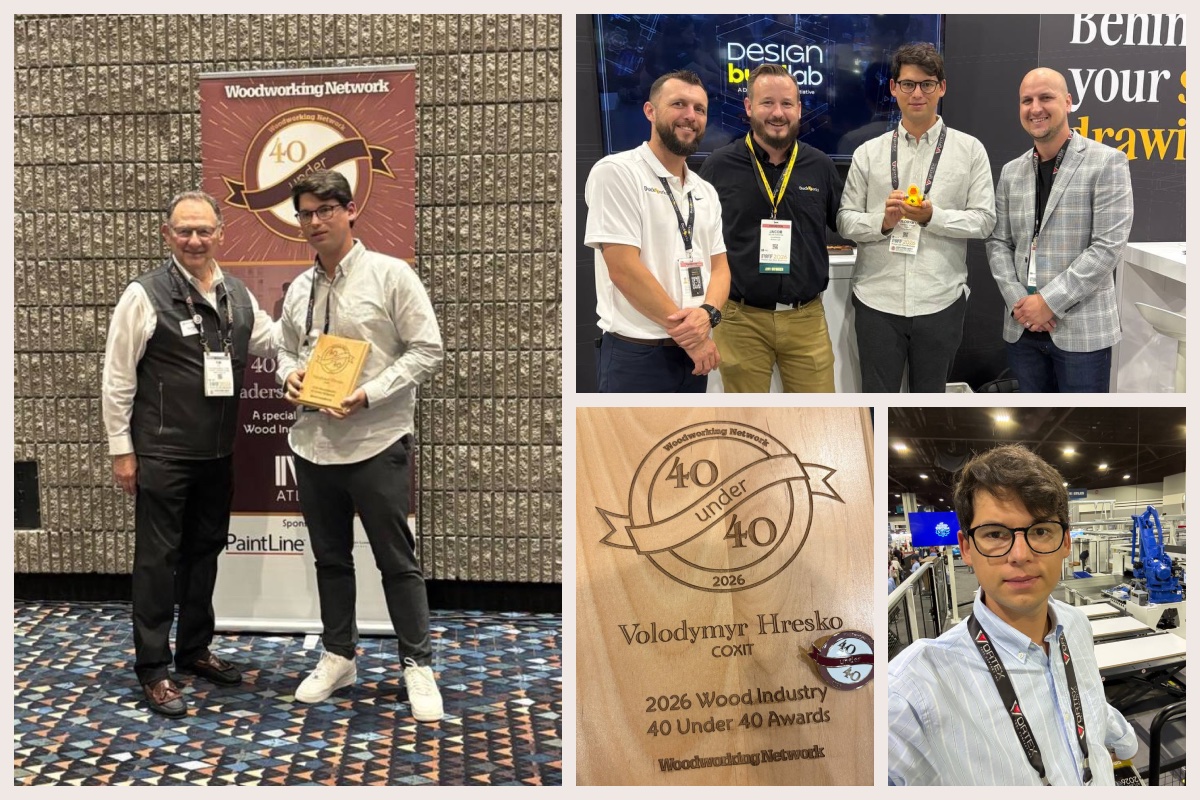
I was also at the International Woodworking Fair in Atlanta recently, and had a lot of good conversations there. I was glad to spend some time offline with Curtis Garrard and to receive the Wood Industry 40 Under 40 award.
What positively surprised me is that many people are already building something on Claude Code. Shop owners are trying to build tools that optimize their own workload.
But at the same time, most are still using AI mainly to summarize text and write things. So I left very motivated to produce even more educational materials.
Subscribe for new updates
We’ll re-run CaseVBench whenever an interesting new model comes out. If you’d like to see the numbers as they change, subscribe on the benchmark page.
This issue first went out to subscribers of our LinkedIn newsletter, AI Era Development Stories, on September 14, 2026.