A proof-of-concept tool that turns a floor plan image into room-by-room square footage, so Rasa's sales reps can measure a property from their desk instead of on site.
Overview
The client
Rasa Floors
specializes in make-ready replacement flooring for America’s multifamily industry.
PoC goal
Sales reps measured every apartment on site. The PoC had to show that an ML model could do the same from floor plan images. Room areas had to be accurate enough to skip the site visit.
What the PoC proved
The PoC confirmed that the ML model can accurately measure apartment floor plans. The accuracy reached 74% and continues to improve as more plans are annotated.
Manual correction decreased from almost every plan to about one-third of plans. The client estimates that measuring four plans can be reduced from ~75 minutes on site to 15–20 minutes at a desk.
Key results
74.3%
room measurement accuracy
4–5×
faster measurement
73–80%
time saved
Key features
What we built
Key features
[1]
Floor plan recognition from images
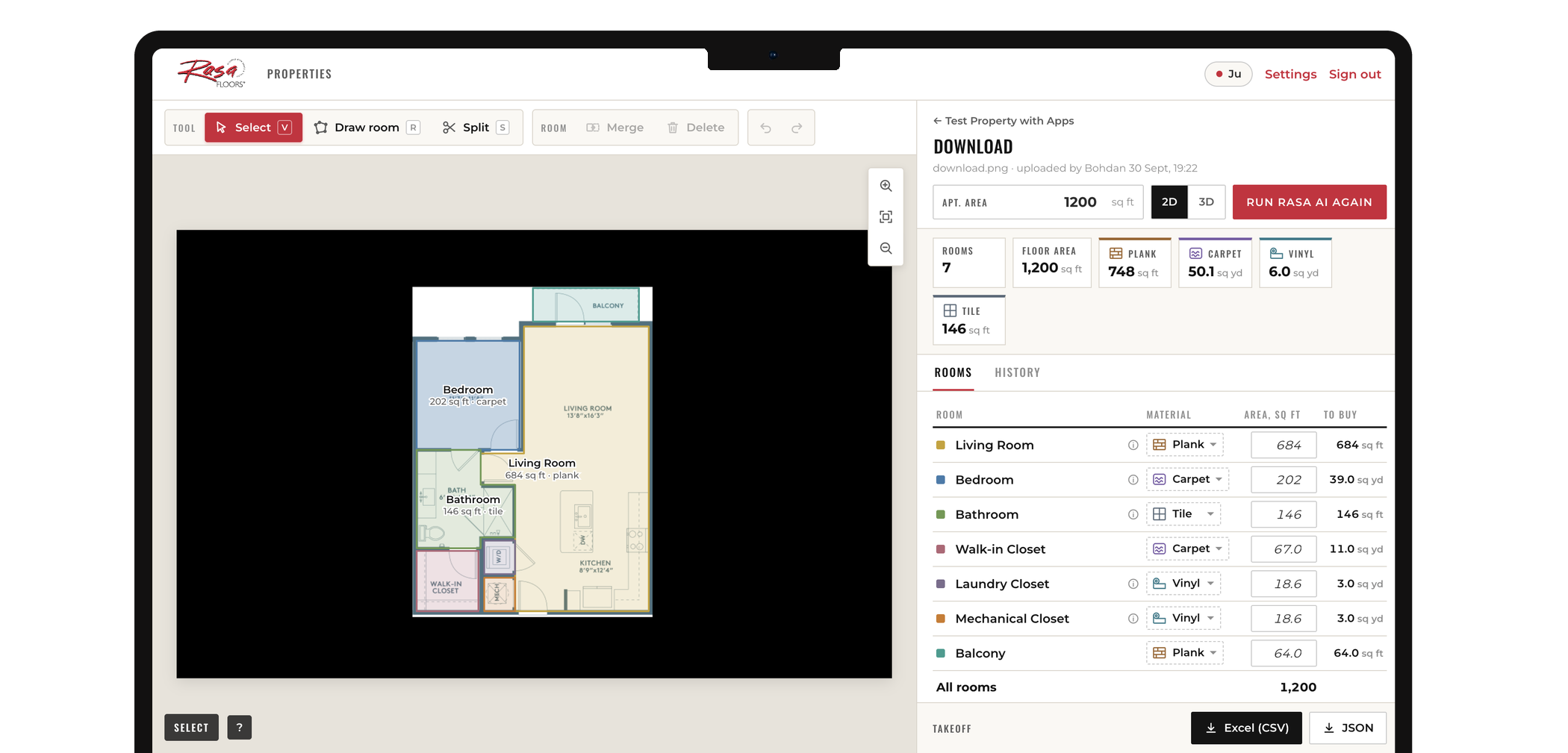
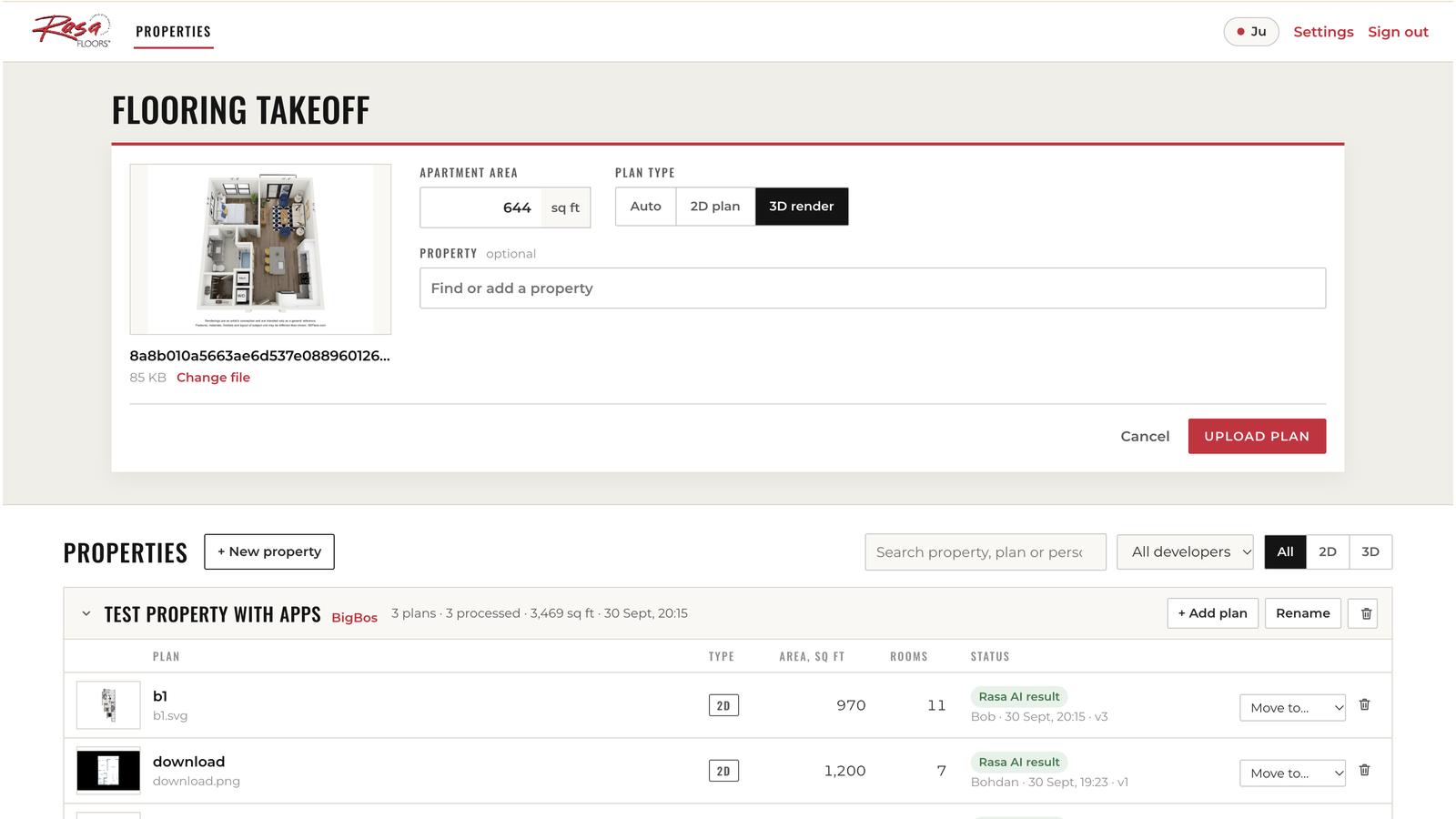
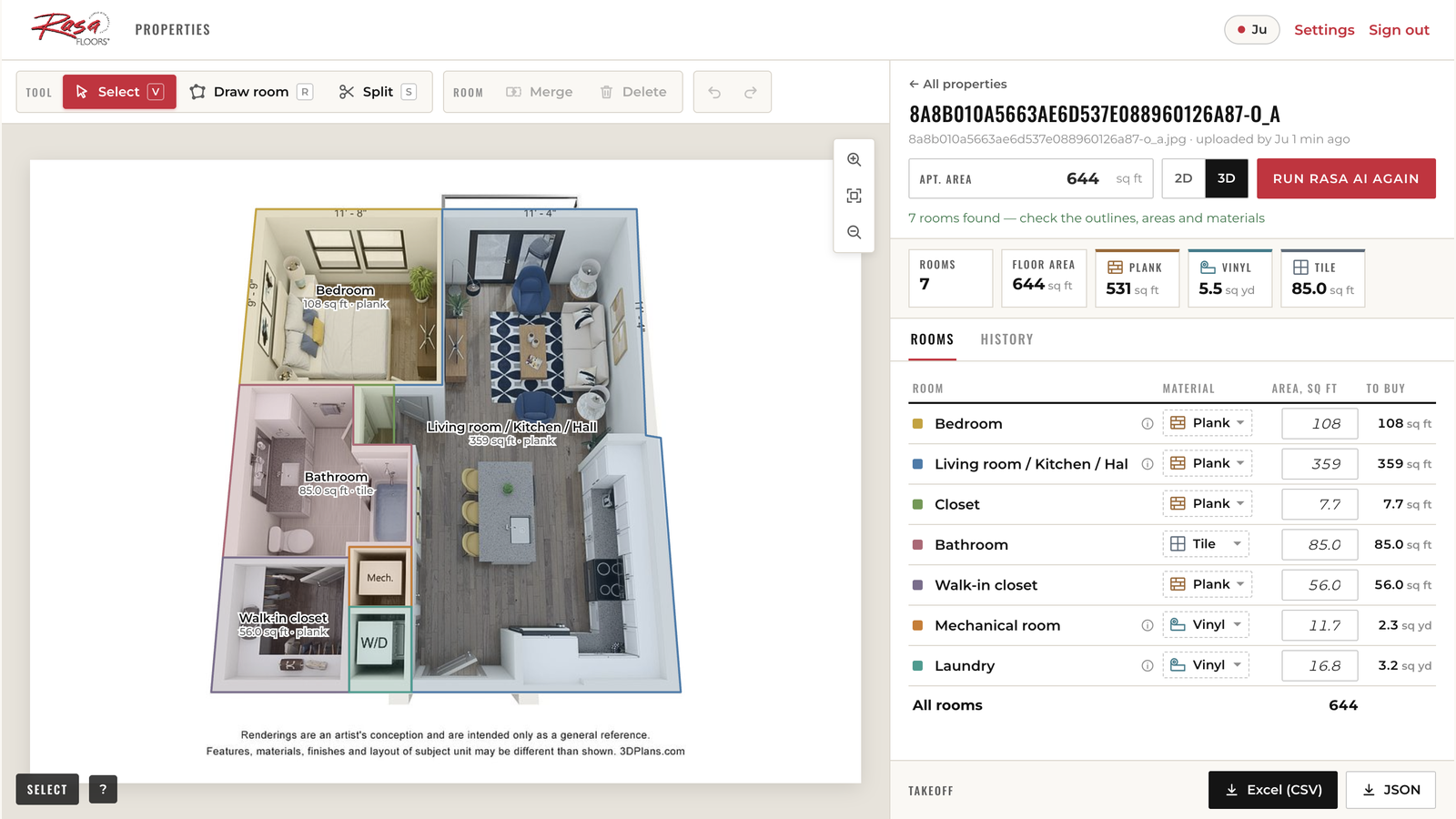
The team uploads 2D or 3D floor plans from property websites or leasing brochures. The model automatically identifies the image type, detects rooms and estimates their areas. Multiple plans can be processed in one batch, allowing properties to be measured without an on-site visit.
[2]
Easy correction
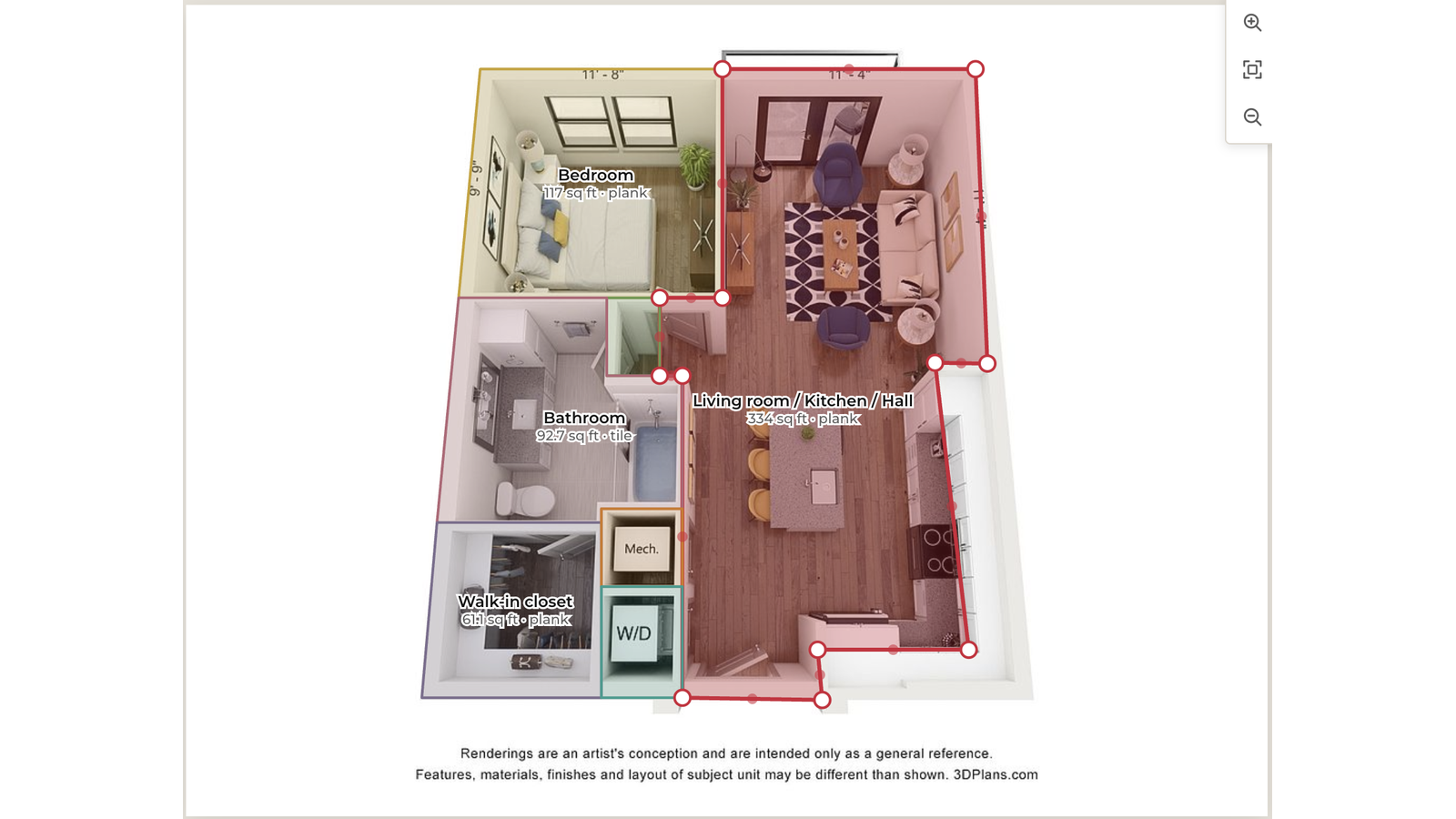
You can adjust room boundaries when the model makes a mistake, especially in open-plan kitchen and living areas. Users can merge, split and rename rooms in a few clicks.
[3]
Material quantity calculation
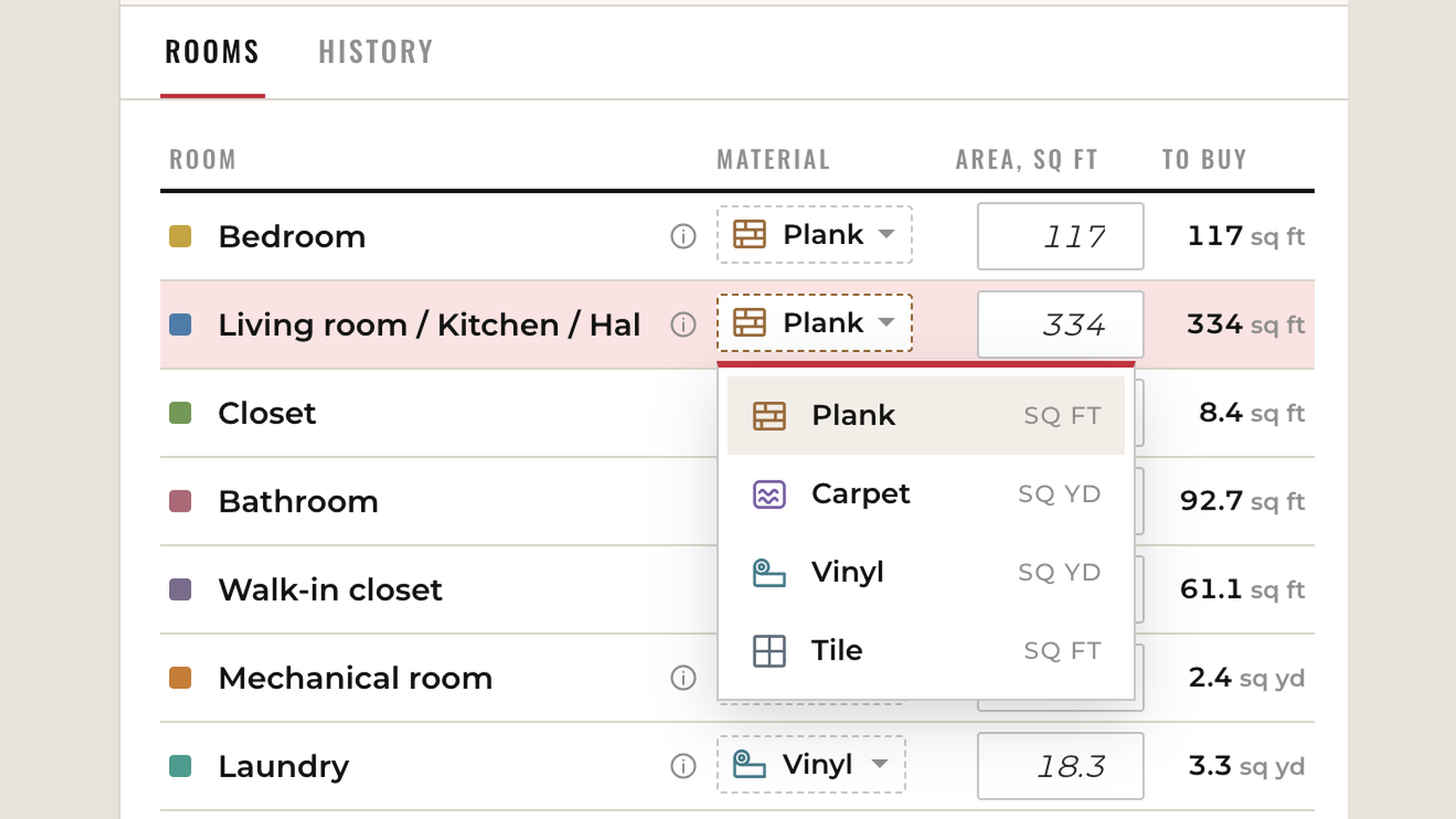
The client assigned a material to each room and converted the room area into order quantities using the company's rules.
[4]
Bulk export
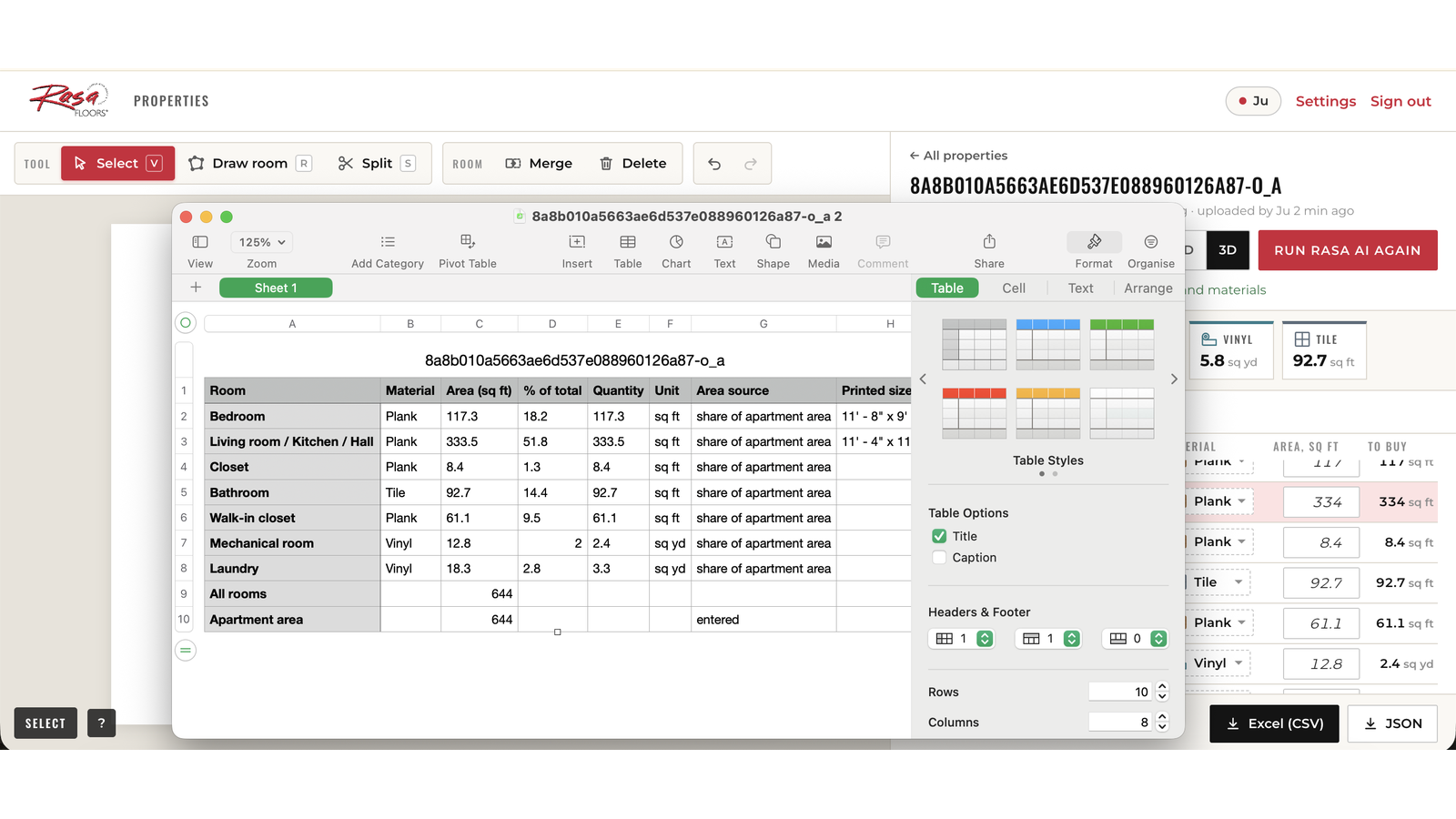
It's possible to group plans by property or source, filter and select multiple plans, then export them together to one Excel file.
How the measurement tool works
The product
How the measurement tool works
The sales rep uploads a floor plan image, a 2D drawing or a 3D rendering pulled from the property's website, and clicks Process. A few minutes later they get a draft: the plan with every room outlined and measured, and an Excel sheet with area and material quantity per room.
Upload the floor plans
The sales rep drops in one plan or a whole property at once, there's no limit. The tool recognizes whether each image is a 2D drawing or a 3D rendering and routes it to the right model.
Get rooms detected and measured
The model finds each room, names it the way Rasa's sales reps do and estimates its area from the plan's total square footage.
Fix what the model got wrong
Open-plan kitchens and living areas are the usual trouble spot. The sales rep merges or splits rooms and renames them in a couple of clicks, then saves.
Pick materials & get quantities
Each room gets a material. The tool converts area into order quantity using the client's rules.
Export to Excel
Select one plan or all plans for a property and export a single sheet with area and material quantity per room, ready for quoting or purchasing.
01 / 05
Under the hood
Technical challenge
The system had to work with different types of floor plans, produce boundaries accurate enough for area calculations, and provide a reliable way to measure performance.
[1]
How do you measure both 2D plans and 3D renderings?
A flat 2D plan and a 3D rendering contain very different visual information. The approach used for 2D plans did not work well for 3D images. We tested converting 3D renderings into flat plans, but direct analysis of the 3D images proved more reliable, so the two image types were handled separately.
[2]
How do you turn room detections into accurate measurements?
The first room outlines were often roughly correct but not precise enough for flooring calculations. The team refined them by tracing the apartment boundary, removing stray points, straightening outlines, identifying walls, and adjusting room boundaries to match them. This cleanup produced most of the improvement in measurement accuracy.
[3]
How do you measure whether the model is accurate enough?
Finding the right number of rooms does not mean their areas are correct. The team compared the predicted room shapes and areas with annotated reference plans. The evaluation covered room overlap, room-level area, and total apartment area, with larger rooms given more weight. Across 94 plans, total apartment area reached 93.7% accuracy, while room-level area reached 74.3% accuracy.
Frequently Asked Questions
AI-powered floor plan measurement uses machine learning to detect rooms and estimate their areas from floor plan images. Users upload 2D or 3D plans, and the system returns an annotated plan and spreadsheet with room measurements. For Rasa Floors, it also converts room areas into material order quantities using the company's rules.
In Rasa Floors' test set of 94 plans, the system achieved 93.7% accuracy for total apartment area and 74.3% accuracy for per-room area. Small rooms and open-plan areas are more difficult to measure, so users can manually merge, split, or rename rooms when needed. About two-thirds of plans require no correction.
Yes. The system was built to measure apartments from floor plan images without requiring an on-site visit. For Rasa Floors, measuring four plans was reduced from about 75 minutes on site to 15–20 minutes at a desk, enabling sales reps to prepare quotes remotely.
Yes. The system supports both 2D floor plan drawings and 3D apartment renderings. It automatically identifies the image type and sends it to the appropriate model. Unusual perspectives may be less accurate until additional examples are added to the training data.
Yes. After detecting and measuring rooms, the system applies predefined material rules to calculate order quantities. For Rasa Floors, it can calculate quantities for carpet, vinyl, and plank flooring. Results can be exported to Excel with the room, area, material, and quantity for quoting or purchasing.
Let's collaborate
Tell us a bit about your project or challenge, and we'll get back to you shortly.